
Blog · Gestionale
Production Scheduling in an MES: How It Works and What to Check
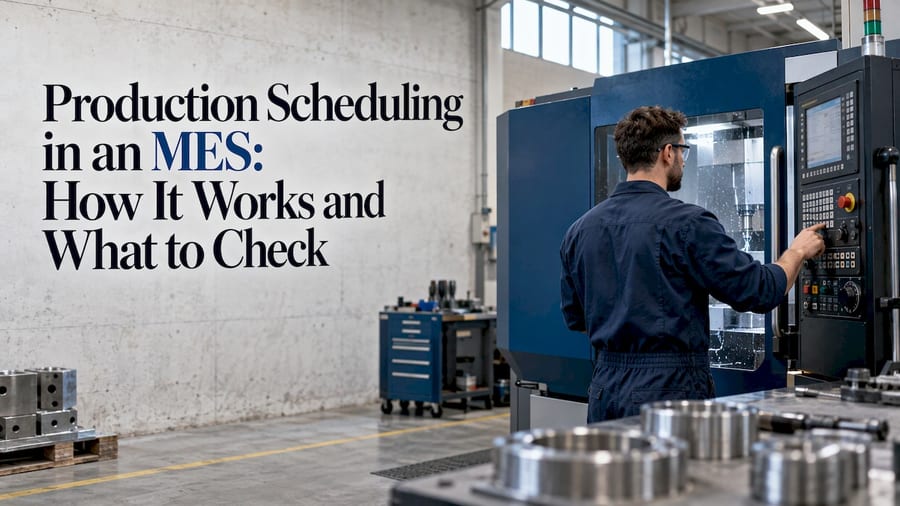
Production scheduling in an il software MES turns the orders released by your ERP into a sequence of jobs on specific machines, then keeps that sequence current as the shop floor reports what is actually happening. The ERP says what to make and when it is due. The MES decides the order, the machine and the timing, and it tracks the result live. When the schedule respects real capacity, it is called finite-capacity scheduling.
This guide explains how that works, where it differs from planning, how it connects to the ERP, and what an Italian manufacturer should assess before starting.
TL;DR
- Planning in the ERP decides quantities and due dates. Scheduling in the MES decides sequence, machine and time slot, and follows execution.
- Finite-capacity scheduling respects machine, labor, material and time constraints, so the plan can be executed instead of only calculated.
- A reliable schedule depends on clean ERP data: routings, bills of materials, work centers, calendars and stock.
- A published case study reports on-time delivery of 95%-98% after an MES and scheduling project, but results depend on data quality and operator adoption.
- Start from your real processes, not from a generic feature list.
Table of Contents
- What production scheduling means in an MES
- How finite-capacity scheduling works
- How an MES creates, updates and monitors the schedule
- Integrating scheduling with the ERP
- What results to expect
- What to assess before you start
- Our perspective
- How Linkware can help
- FAQ
What production scheduling means in an MES
A scheduling module in an MES receives production orders from the ERP, along with their routings and bills of materials. A scheduler can then fine-tune the sequence, move orders between machines, and release the orders to the shop floor. This is the flow described by Shopfloor Matters. The same source notes that the live schedule shows delays or machine downtime, and that operators see changes as soon as they are made.
The key word is execution. A spreadsheet or an ERP calendar shows what should happen. An MES schedule is connected to what is happening: which job is running, which machine is stopped, which material has not arrived. If you want the broader picture of what an MES covers, read our guide on MES for manufacturing and when you need it.
Planning versus scheduling
The two terms are often mixed up, but they answer different questions.
| Production planning (ERP) | Production scheduling (MES) | |
|---|---|---|
| Main question | What do we make, how much, by when? | In what order, on which machine, at what time? |
| Typical horizon | Weeks to months | Days to a few weeks |
| Detail level | Item, quantity, due date, material needs | Operation, work center, start and end time |
| Data source | Orders, forecasts, stock, bills of materials | ERP orders plus live machine and operator status |
| Update frequency | Periodic (daily, weekly) | Continuous, as events occur |
In practice, the ERP generates production orders and material requirements. The MES takes those orders and makes them executable on the floor. Neither replaces the other.
How finite-capacity scheduling works
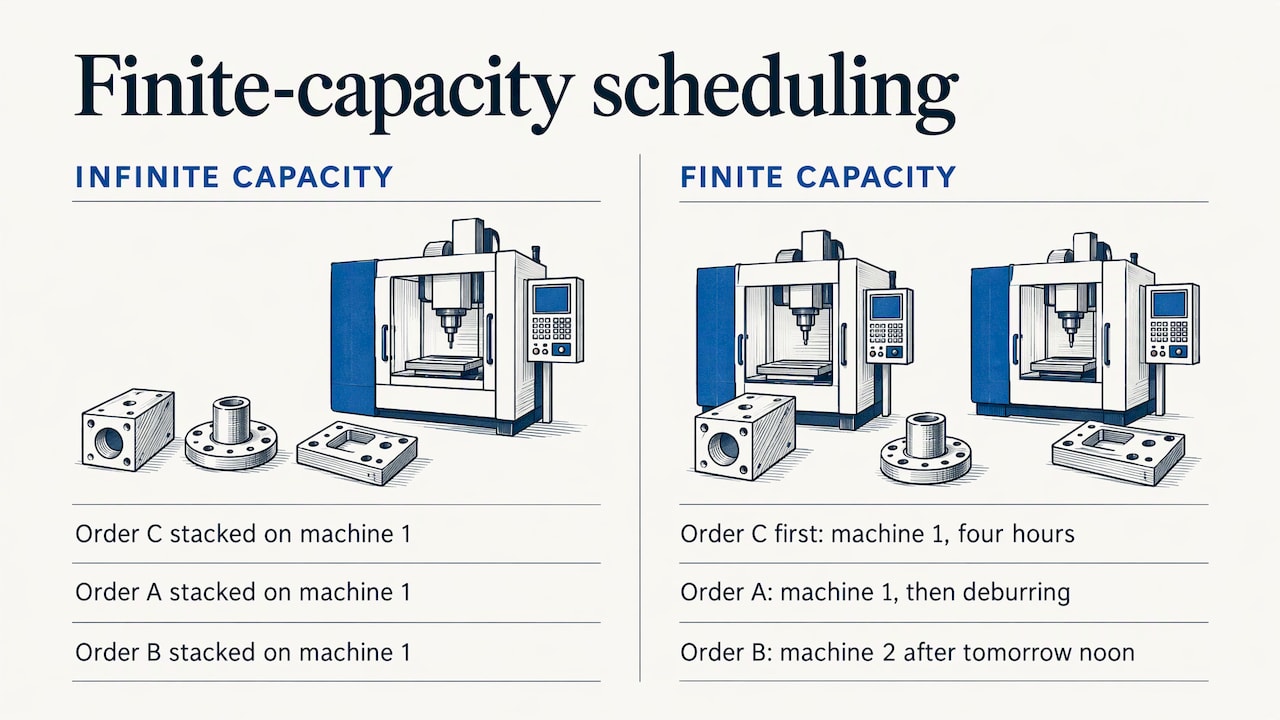
Infinite-capacity planning assumes every work center can absorb whatever load is assigned to it. On paper the plan looks fine, but on the floor three jobs end up queued for the same machine on the same morning. Finite-capacity scheduling starts from the opposite assumption: each resource has limits, and the schedule must respect them. Our practical guide to finite-capacity scheduling goes deeper into the method.
The constraints the schedule must respect
According to an academic presentation on scheduling optimization by Matteo Lazzarini, a scheduling plan must respect a set of company-specific constraints. These include:
- Technological precedences: operation B cannot start before operation A is finished.
- Time windows: activities must be performed within defined periods, such as shifts and calendars.
- Machine capabilities: not every machine can run every job.
- Material availability: a job cannot start without its components.
In a real plant you add labor to this list: skills, shift patterns and absences. Tooling, setup times and maintenance windows are further constraints that belong in the model if they affect your sequence.
Why the problem is hard
The same presentation points out that sequencing problems grow factorially: five operations already have 120 possible sequences. Such problems belong to a class with no known polynomial-time solution. For you, the consequence is practical. A scheduler cannot test every combination by hand, and on a plant with dozens of orders even a good spreadsheet reaches its limit. Scheduling engines use rules and heuristics to find a good sequence quickly, and the scheduler adjusts it using knowledge of the floor.
A simple example
Imagine a metalworking shop with two CNC machines. Order A needs machine 1, then a deburring step. Order B can run on either machine but needs a material that arrives tomorrow at noon. Order C is urgent and takes four hours on machine 1. An infinite-capacity plan stacks all three on machine 1 because it is the preferred one. A finite-capacity schedule sees the overload, moves order B to machine 2 after the material arrives, puts the urgent order first and shows the real completion time of each job. The delivery date you promise to the customer then rests on a sequence that can actually be executed.
How an MES creates, updates and monitors the schedule
A typical cycle has five steps.
- Orders arrive from the ERP. Each order carries its routing, bill of materials, quantity and due date.
- The engine builds a first schedule. It applies capacity, calendars, precedences and priority rules.
- The scheduler reviews and adjusts. They may change the sequence, move a job to another machine or split a batch.
- Orders are released to the floor. Operators see their queue on a terminal or tablet.
- Execution feeds back. Start and end times, quantities, scrap and stoppages return to the MES, which recalculates what is affected.
The fifth step is where an MES differs from an offline scheduling tool. Feedback must be timely and accurate, which is why data collection from machines matters. Our article on shop floor data collection explains how to connect machines to the ERP, either automatically or through operator input.
Frozen horizon
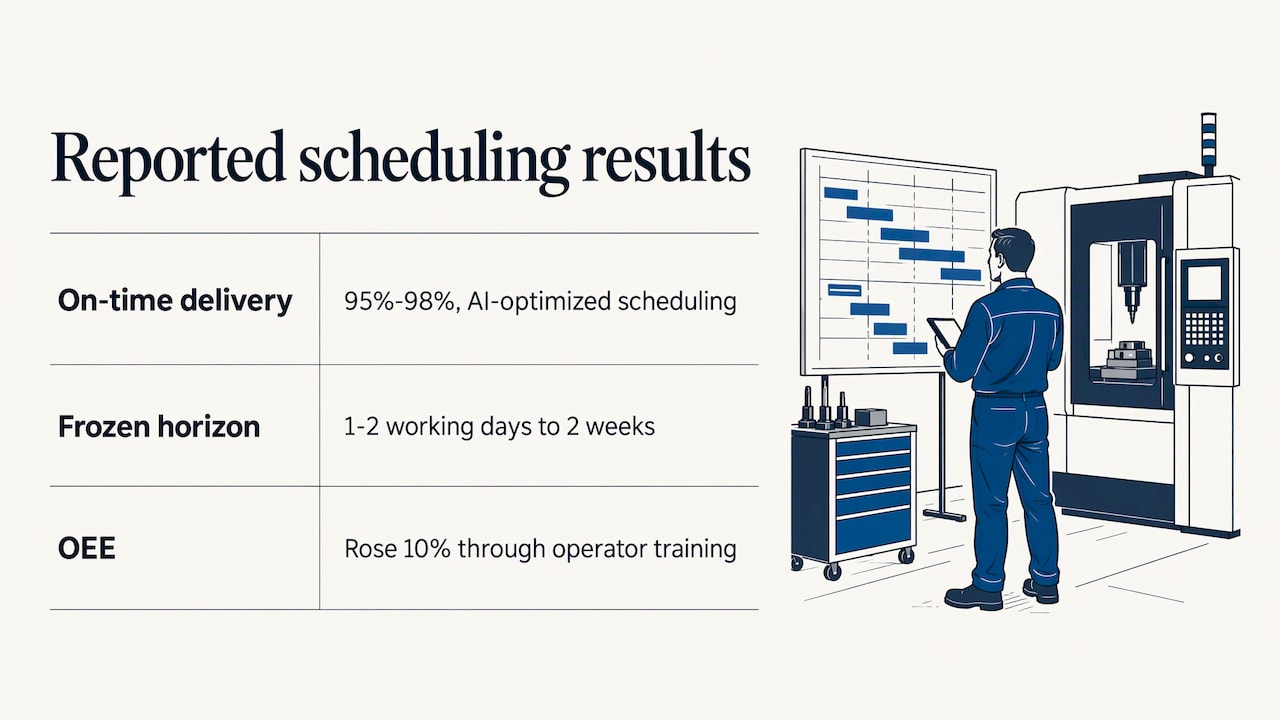
Most schedules define a frozen horizon: a period in which the sequence is not changed automatically, so the floor works with stability. Beyond it, the schedule can be re-optimized as new orders arrive. The length of this window is a management decision. It balances stability against responsiveness.
Integrating scheduling with the ERP
Scheduling is only as good as the data behind it. The MES needs these items from the ERP, and they must be accurate:
- Production orders with quantities and due dates
- Routings: operations, work centers, standard times and setup times
- Bills of materials and component availability
- Work center definitions and calendars
- Stock levels and incoming purchase orders
The flow goes both ways. Completed quantities, actual times, scrap and consumption return to the ERP, so costing and inventory stay aligned with reality. If the two systems exchange data only once a day, the schedule and the stock can drift apart during the shift. We describe the options in our guide to ERP and MES integration.
One frequent problem is routing data. Standard times entered years ago and never corrected make every schedule look precise but wrong. Cleaning them before go-live is often the most useful preparation work. Warehouse data matters too, because a job scheduled without the material in stock will stop. See how to synchronize warehouse and ERP, and how the MES and the warehouse system divide their roles in MES vs WMS.
What results to expect
Better scheduling usually shows up in a few measurable areas: on-time delivery, work-in-progress, setup time and machine use. A case study is useful as an example, as long as you treat it as one company’s result rather than a promise.
In a case study published by Bonfiglioli Consulting (14 April 2021), an MES and scheduling project at Sabo SpA reported on-time delivery between 95% and 98%, attributed to scheduling optimized with artificial intelligence logic. The frozen scheduling horizon grew from 1-2 working days to 2 weeks, and OEE rose by 10% through operator training programs.
Two points stand out. The schedule gained stability, which means the floor could trust it. And part of the improvement came from training people, not only from software. Our guides on improving OEE in production and on combining OEE and MES show how to measure efficiency with real data.
What to assess before you start
For an Italian small or medium manufacturer, the decision is rarely about software alone. These are the questions that matter most.
1. How do you schedule today?
Map the real process: who builds the schedule, with which tool, how often it changes and why. If the answer is one experienced person and a large spreadsheet, the know-how must be captured as rules before it can be automated.
2. Which constraints actually limit you?
Not every plant needs every constraint. A job shop may be limited by machines and setups. An assembly plant may be limited by components. A labor-intensive department may be limited by skills. Model the constraints that truly decide your delivery dates and add others later.
3. How good is your master data?
Check routings, times, bills of materials and calendars. A week spent correcting them before the project saves months of mistrust in the schedule afterwards.
4. How will data reach the system?
Decide which events are captured automatically from machines and which are entered by operators. Simple terminals at the work center are often a good start, and machine connections can follow where they bring value.
5. Who owns the schedule?
Name a person responsible for the schedule and for the rules behind it. Without an owner, the floor goes back to its own priorities within weeks.
6. Does it fit your ERP and your growth?
The scheduling function should work with the ERP you use, share its data and not require double entry. Think also about additional plants, companies or product lines. If you are comparing the MES with Industry 4.0 and 5.0 requirements, check our overview of MES software for Industry 4.0 and 5.0. Incentive rules change over time, so confirm current conditions with your accountant or the official bodies before relying on them for a purchase decision.
7. How will you introduce it?
Start with one department or one product family, measure the result and extend. If the supplier trains operators and schedulers, adoption is faster. Lean methods such as kanban can coexist with finite scheduling in repetitive production; see just in time with an ERP.
Our perspective
In our experience, the schedule fails less often because of the algorithm than because of the distance between the software and the way the company really works. A scheduler who does not recognize their own rules in the system will keep the spreadsheet.
This is why we start from the processes. Each client has a dedicated consultant who studies how orders move through the plant, which constraints decide the delivery dates and which data the ERP already holds. We do not use a call center: the person who configured your system is the one who answers.
Our team handles development and user assistance internally, so the scheduling logic, the ERP data and the shop-floor terminals are configured as one system. With 30 years of experience and as a Passepartout Specialist, we design the ERP and MES link so that production, accounting and sales share the same data.
Our advice: begin with clean routings and one department, define who owns the schedule, then extend. The result is a plan your people trust.
Claudio
How Linkware can help
Linkware configures ERP software around your production process, including Passepartout solutions and MES, and connects it to shop-floor data, warehouse and sales. We follow the project from analysis to training and ongoing support, with one consultant who knows your business.
If you want to see how scheduling would work on your orders, your machines and your data, we can walk through it with you in a demo.
Contact us through our website to discuss your plant, or read more about our MES software for Industry 4.0 and 5.0.
FAQ
Is production scheduling the same as production planning?
No. Planning sets quantities, materials and due dates, usually in the ERP. Scheduling assigns each operation to a machine and a time slot and follows its execution in the MES. The two work together: planning feeds scheduling, and execution data from scheduling feeds back into planning.
What is finite-capacity scheduling?
It is a scheduling method that treats machines, labor, materials and time windows as limited resources. Jobs are sequenced so that no resource is loaded beyond what it can do. The result is a plan with realistic start and end times, which supports more reliable delivery dates.
Can I schedule production with the ERP alone?
Many ERPs generate production orders and a basic plan. When you need to sequence jobs on specific machines, react to stoppages and see the live status of each order, an MES scheduling function adds the detail and the shop-floor feedback. The right combination depends on your process and your data.
How long does it take to introduce MES scheduling?
It depends on the number of departments, the quality of your master data and the data capture method. Starting with one department and correcting routings first usually shortens the path. A consultant can give an estimate after reviewing your processes.
Which data does the MES need from the ERP?
Production orders, routings with standard and setup times, bills of materials, work centers and calendars, plus stock and incoming supplies. Completed quantities, actual times and scrap then return to the ERP so costing and inventory remain correct.
Recommended
Vuoi digitalizzare la tua azienda?
Un consulente LINKWARE ti propone la soluzione su misura, senza impegno.
Richiedi una demo gratuita