
Blog · Gestionale
Warehouse Barcode System: How to Plan One in Italy
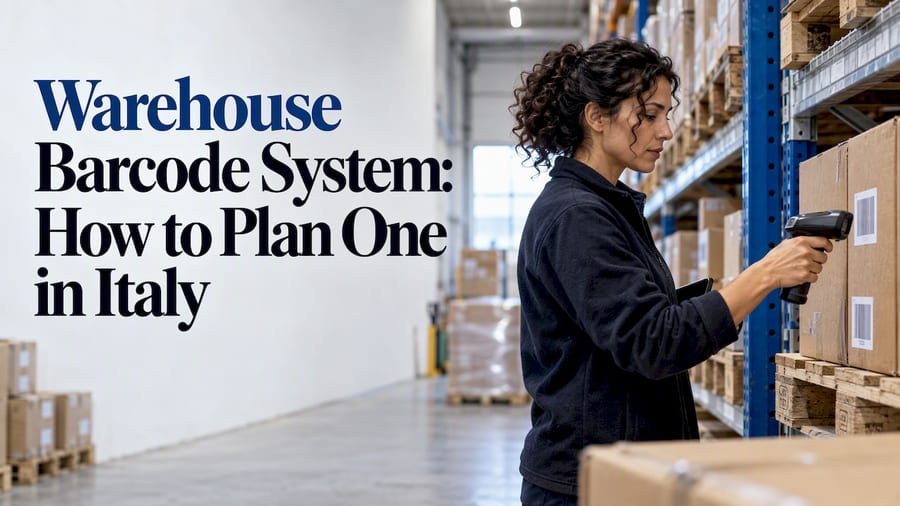
A warehouse barcode system gives every item, pallet and storage location a scannable identity, then links each scan to your management software, so stock movements are recorded when they happen and not typed in later. For an Italian small or mid-sized company, the real project is not buying scanners. It is choosing a labeling logic, connecting it to your ERP or WMS, and training people to use it the same way every shift.
This guide explains the parts of the system, how the GS1 standard applies in Italy, a step-by-step rollout, and the mistakes that cost the most time.
TL;DR
- A barcode system has four parts: labels, printers, scanning devices and software. The software side decides whether the project works.
- In Italy, GS1 codes are voluntary, not a legal obligation, but they are the common language many customers and retailers expect on products and pallets.
- Label locations first, then pallets, then items. Start with the flow that causes the most errors, usually receiving or picking.
- Connect scans to your ERP in real time. A barcode system that exports to spreadsheets recreates the problem it was meant to solve.
- Pilot in one area for a few weeks before extending to the whole warehouse.
Table of Contents
- What a warehouse barcode system actually does
- The four components
- GS1 in Italy: what is required and what is not
- How to implement a warehouse barcode system: seven steps
- Matching the system to your type of business
- Connecting the barcode system to ERP and e-commerce
- What does a barcode system cost?
- Common mistakes to avoid
- Our perspective
- How Linkware can help
- FAQ
What a warehouse barcode system actually does
Without barcodes, stock data depends on people reading a code, typing it and getting it right. Each manual step is a chance for a wrong quantity, a swapped code or a missing record. A barcode system replaces those steps with a scan that identifies the thing (an item, a lot, a pallet, a shelf location) and records the event (received, moved, picked, shipped).
In practice, you get three concrete benefits:
- Accurate stock levels. Receiving, putaway, transfers and dispatch each update the inventory record at the moment of the scan.
- Faster, guided work. The operator scans a location, then the item, and the software confirms or rejects the pick.
- Traceability. If scans include lot or serial numbers, you can find where a batch went. We cover that in more depth in our article on lot and serial traceability for SMEs.
The four components
1. Labels and codes
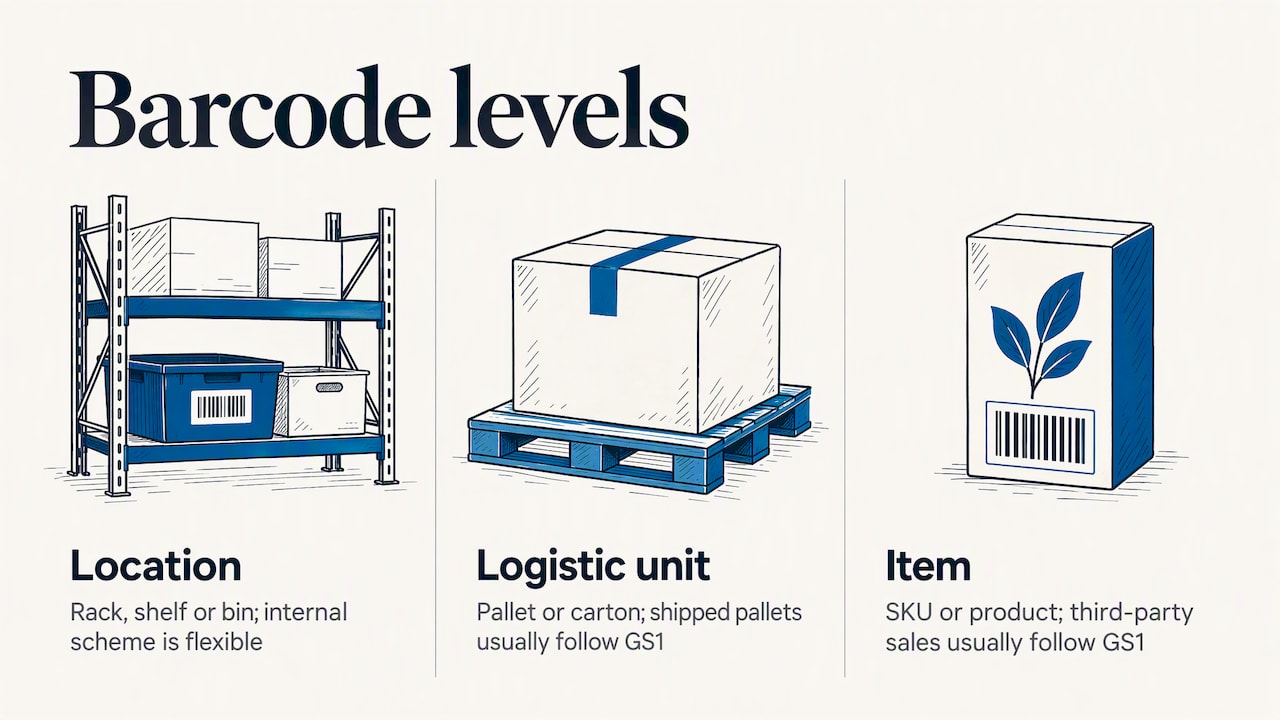
You label three levels: the location (rack, shelf, bin), the logistic unit (pallet, carton) and the item (SKU or product). Each level can use a different code. Internal location labels can follow any scheme you design. Items sold to third parties and pallets shipped out usually follow GS1 rules (see the next section).
2. Printers
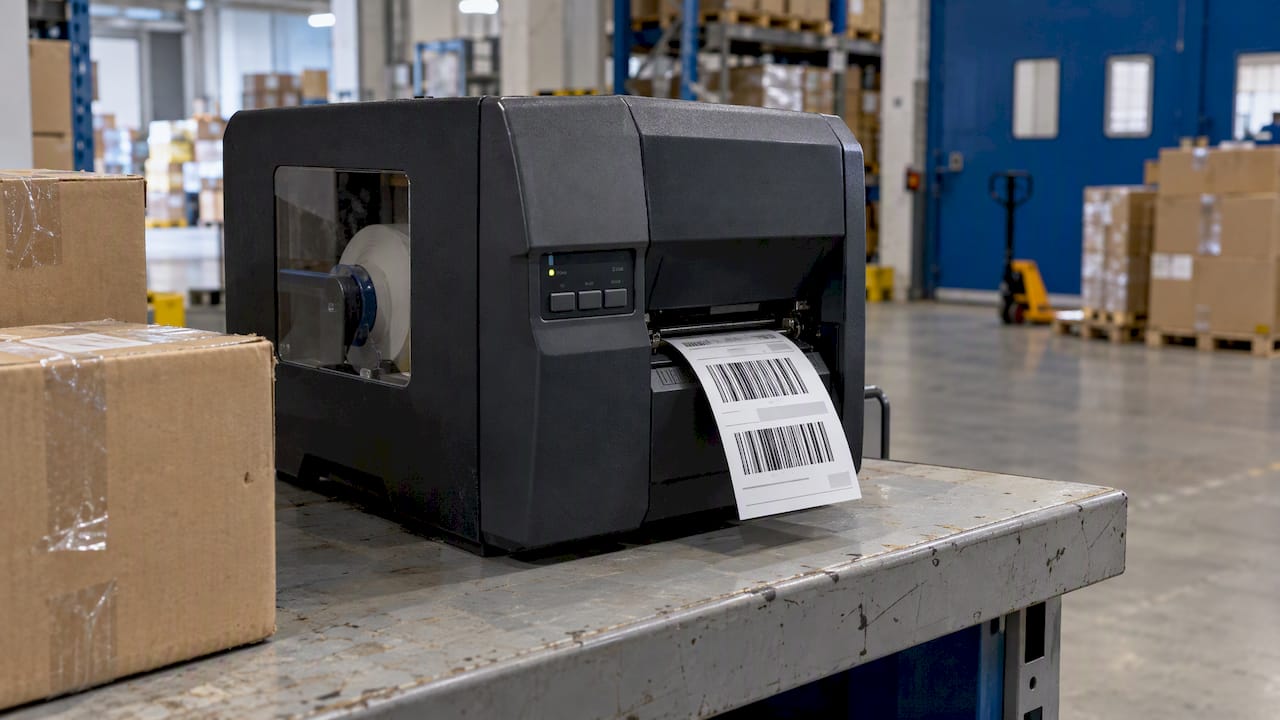
You need at least one label printer in or near receiving, so incoming goods without usable barcodes can be labeled before putaway. Thermal transfer printers are the usual choice for durable warehouse labels. Check that the label material resists the conditions it will meet: cold rooms, dust, abrasion on pallets.
3. Scanning devices
The main categories are corded handheld scanners, wireless handhelds, wearable ring scanners, and rugged Android mobile computers that run the warehouse app directly. One 2026 overview of warehouse scanners gives indicative US prices of about $130 to $400 for corded handhelds and about $400 to $1,100 for wireless industrial models. Treat those as orders of magnitude, since Italian quotes differ by model, brand and service contract.
Choose by workload, not by price alone. A desk scanner at a packing bench has different needs from a device carried all day on a forklift aisle.
4. Software
The software receives each scan, validates it against the order or the stock record, and updates inventory. It can be a warehouse management system (WMS) or the warehouse module of an ERP, depending on the complexity of your flows. This is the part that determines results, and the part most often underestimated.
GS1 in Italy: what is required and what is not
A common question is whether you must use GS1 barcodes. According to GS1 Italy’s FAQ, using GS1 codes is not an obligation. It is a common language that many companies worldwide have chosen voluntarily. The same page explains that the codes are not bought but licensed on an annual basis through GS1 Italy, with fees based on company turnover bands, not on the number of products.
So, if you only move your own stock internally, you can label locations and items with an internal scheme. If you sell through retail chains, marketplaces or large distributors, they will usually ask for GS1 identification, so it is cheaper to plan for it from the start than to relabel later.
Three points matter for warehouse work:
- Symbologies differ by use. GS1 Italy describes the barcode symbologies, linear and two-dimensional, and which ones suit products versus logistic units. Check the right one before ordering labels.
- Pallets use a logistic label. The GS1-128 logistic label guide states that the only mandatory piece of information on the label is the SSCC code. Other data, such as lot or quantity, can be added when the unit is homogeneous.
- Codes are one-to-one. GS1 Italy’s practical guide to barcode use is the reference for coding rules. Each code identifies a single unit, which is why a wrong assignment (the same code on two different products) causes errors that are hard to track down.
How to implement a warehouse barcode system: seven steps
- Map the real flows. Walk the warehouse and write down what happens from truck arrival to shipment: receiving, quality checks, putaway, replenishment, picking, packing, returns. Note where errors occur today.
- Define the codes. Decide the location naming scheme (for example aisle, rack, level, position), how items are identified (supplier barcode, GS1 code, internal code) and what a pallet label contains.
- Clean the item master. Duplicates, missing units of measure and inconsistent descriptions will surface the first day you scan. Fix them before labeling.
- Choose software first, hardware second. Devices must run the application you select, not the other way round. Confirm that scans reach your ERP directly. Our guide on WMS and ERP integration covers the technical side.
- Label locations, then stock. Put location labels in place before you label items, so the first physical inventory can be scanned location by location.
- Pilot in one area. Pick the flow with the most errors, often picking or receiving, and run it for a few weeks. Measure time per order, picking errors and stock discrepancies against the previous period.
- Train, then extend. Operators need to know what to do when a label is damaged or a scan is rejected. Write those exceptions down and teach them in the first session.
Matching the system to your type of business
The right level of complexity depends on what your warehouse does.
| Situation | What matters most | Typical approach |
|---|---|---|
| Manufacturer with raw materials and finished goods | Lot tracking, link to production orders | Barcodes tied to ERP and, if needed, il nostro MES per la produzione |
| E-commerce seller with many small orders | Picking speed, order status sync | Scan-to-confirm picking linked to shop orders |
| Distributor with pallets and many locations | Putaway logic, replenishment, GS1 labels | WMS with location management |
| Small shop or studio with one stock room | Simple counts, few users | Scanning in the ERP warehouse module |
A point we share with many logistics specialists: do not look for the most complete software on the market, look for the one that fits your real flows. Buying more functions than you use leads to over-engineering, longer training and slower adoption, as described by one Italian WMS provider.
If your picking is the bottleneck, read how to optimize picking with strategy, layout and WMS. If your stock figures are never trusted, start with real-time inventory in six steps.
Connecting the barcode system to ERP and e-commerce
A scan has value only when the rest of the company sees it. If the warehouse updates stock in one system and sales or accounting work in another, you will reconcile data by hand. Three integrations matter most:
- ERP and warehouse. Receipts, transfers and shipments should post to the same inventory the accounting side uses. See how to synchronize warehouse and ERP in a practical order.
- ERP and online store. If you sell on WooCommerce collegato al gestionale or PrestaShop, the stock confirmed by scanning should be the stock published online. Otherwise you oversell. Our guide on e-commerce order management in the ERP shows how to avoid manual re-entry.
- ERP and marketplaces or couriers. Shipping labels and tracking data close the loop. The article on marketplace and ERP integration explains the data flow.
What does a barcode system cost?
There is no honest single figure, because the cost depends on four variables:
- the number of operators and devices;
- the number of locations and labels to produce, and the printers required;
- the software: ERP module, WMS license or subscription, and whether it runs in the cloud or on your own servers;
- configuration, integration and training time.
If you use GS1 codes, add the annual GS1 Italy fee, which depends on your turnover band, as noted above. Ask every supplier for a quote that separates hardware, software, configuration and ongoing support, so you can compare like with like. Hosting choices also affect the budget; see cloud versus on-premise ERP for the trade-offs.
Common mistakes to avoid
- Labeling before defining the scheme. Relabeling a whole warehouse is slow and expensive.
- Using fragile labels in places with cold, humidity or friction, then losing the codes within weeks.
- Skipping the pilot. A problem found in one aisle is cheap. The same problem found across the whole warehouse is not.
- Ignoring the exceptions. Damaged labels, unreadable codes and partial pallets happen daily. Without a procedure, operators go back to paper.
- Treating it as an IT project only. Operators know where the real friction is. Involve them from the mapping stage. Our guide to ERP change management covers how to bring people along.
Our perspective
In thirty years of working with companies on management software, we have seen the same pattern: the scanners are rarely the problem. The problem is that the barcode system was added next to the ERP and not inside it. Stock is correct in the warehouse, wrong in the order system, and someone spends an hour a day reconciling the two.
We start from the way the company works, not from a product catalog. Each client has a dedicated consultant who studies the processes, so the codes, the locations and the scanning steps match what operators do on the floor. The same team handles configuration, development and user support, which means the person who understands your warehouse is also the one who answers when something changes.
Our advice for a small or mid-sized company is to begin with one flow, prove it with numbers, and extend. A warehouse that scans receiving and picking correctly, and posts both to the ERP in real time, already removes most of the avoidable errors.
— Claudio
How Linkware can help
We configure ERP software around your operations, including Passepartout solutions, and connect it with warehouse management and e-commerce. If you want to see how scanning would work with your flows, start from our WMS software for warehouse logistics page, or contact us to request a demo with a consultant who will look at your actual process. For online sales that depend on warehouse data, see our e-commerce creation and integration services.
FAQ
Do I need GS1 barcodes for my warehouse in Italy?
No, GS1 codes are not a legal requirement, according to GS1 Italy. You can use internal codes for locations and internal flows. If you sell through retailers, distributors or marketplaces that ask for GS1 identification, you will need to license the codes through GS1 Italy.
What is a barcode scanner best used for in a warehouse?
It is best for the repetitive confirmations: receiving goods against an order, scanning the location during putaway, confirming each pick and counting stock. Each scan replaces a manual entry, so errors fall and the stock record updates immediately. The device type depends on the work: fixed or corded at benches, wireless or rugged mobile for the floor.
Can I use a barcode system without a WMS?
Yes, if your flows are simple. Many ERPs include warehouse functions that accept scans for receiving, transfers and picking. A WMS becomes useful when you manage many locations, putaway rules, replenishment or high order volumes. Start from your flows and choose the lightest tool that covers them.
How long does implementation take?
It depends on the size of the warehouse, the state of your item master and how many flows you include. A pilot on a single flow is much shorter than a full rollout. We suggest planning the mapping, the code definition and the data cleanup before the first label is printed, since those steps usually decide the schedule.
Can the system also feed my online store?
Yes. When the barcode system posts to the ERP, and the ERP is integrated with WooCommerce or PrestaShop, the stock confirmed in the warehouse can be the stock shown online. That reduces overselling and manual updates.
Recommended
Vuoi digitalizzare la tua azienda?
Un consulente LINKWARE ti propone la soluzione su misura, senza impegno.
Richiedi una demo gratuita